Moonlit browsing for the modern web

Calm moonlit reading.

Lunar Tone turns bright websites into a softer, more comfortable browsing experience with beautiful tone modes, per-site controls, and a privacy-first design.

No personal data collection
No tracking
No network requests
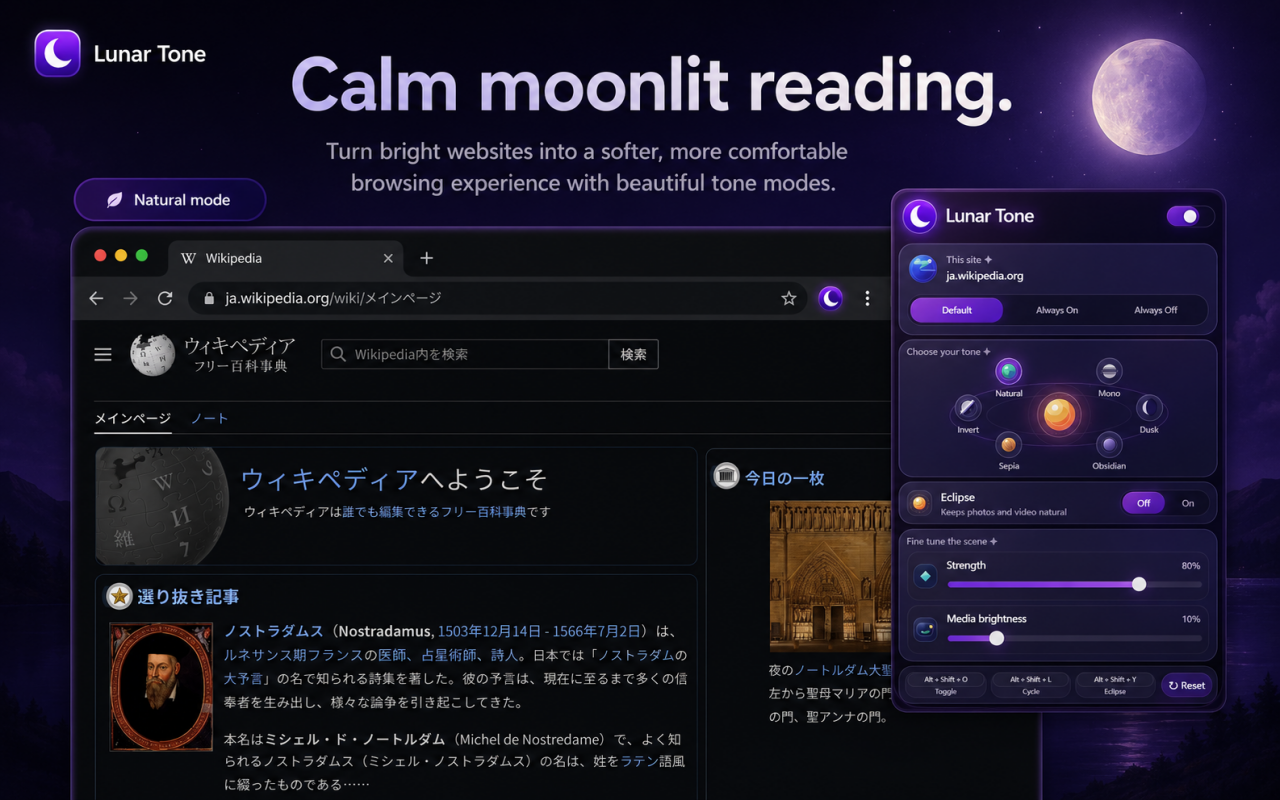
Lunar Tone hero banner

Everything you need for comfortable browsing.

Lunar Tone helps reduce glare, soften harsh pages, and make the web feel calmer—especially at night or in low-light environments.

Beautiful tone modes

Choose from multiple visual styles to create the browsing experience that feels best for your eyes.

Eclipse mode

Darken the page while keeping photos and videos looking more natural on supported websites.

Per-site control

Set websites to Default, Always On, or Always Off for a smooth, flexible browsing workflow.

Fine tuning

Adjust tone strength and media brightness to match your preference and environment.

Keyboard shortcuts

Toggle Lunar Tone, cycle modes, and switch Eclipse mode quickly with simple shortcuts.

Lightweight design

Built for calm, focused browsing without ads, analytics, or unnecessary clutter.

Pick the mood that fits your eyes.

Lunar Tone includes multiple modes so users can choose the tone that feels most comfortable for reading and browsing.

NaturalSoft everyday comfort
MonoNeutral grayscale focus
DuskGentle twilight tone
ObsidianDeep midnight tone
SepiaWarm paper-like feeling
InvertClassic high contrast

See Lunar Tone in action.

Preview how Lunar Tone transforms bright websites into a calmer, moonlit reading experience while keeping the interface simple and accessible.

Simple controls, powerful customization.

Lunar Tone is designed to be easy to use while still giving users meaningful control over how websites look and feel.

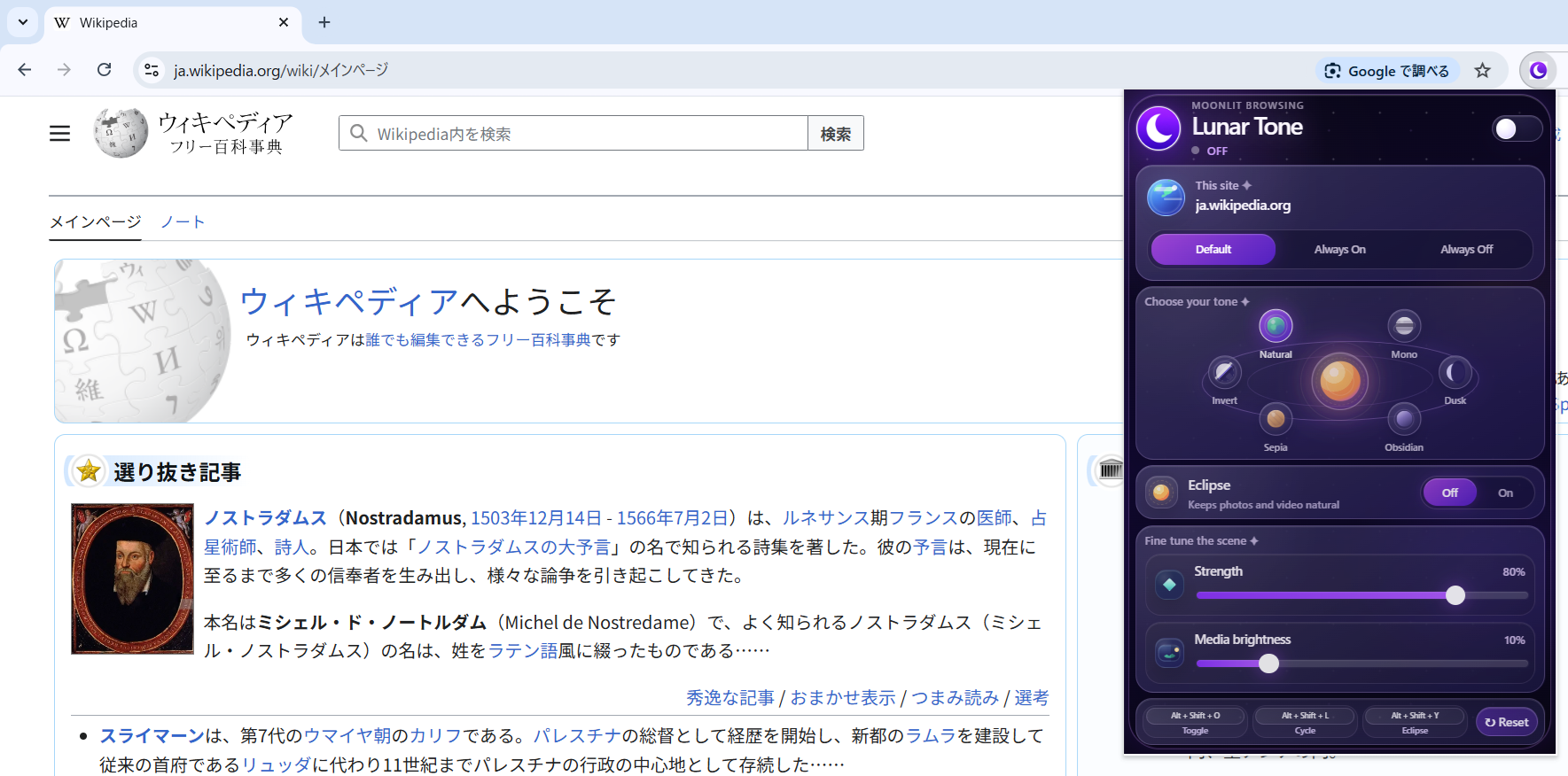
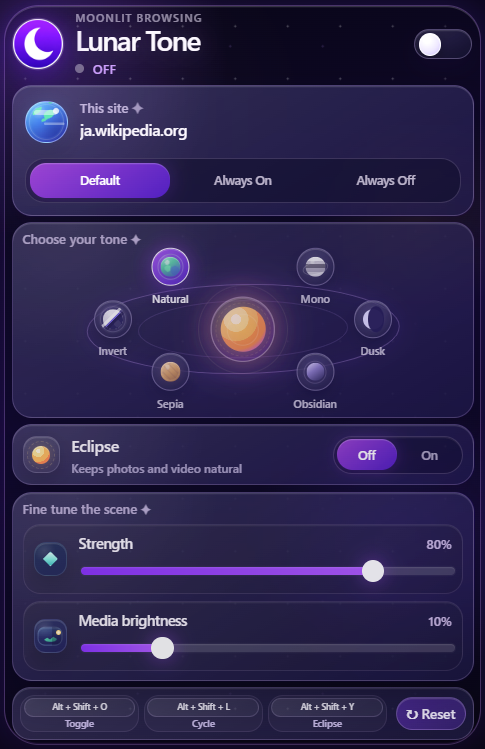
Lunar Tone popup interface
Switch modes quickly from a clean, visual popup interface.
Control each site with Default, Always On, and Always Off settings.
Use sliders to adjust strength and media brightness in seconds.
Enable Eclipse mode when you want a darker page with more natural media.

Lunar Tone Privacy Policy

Lunar Tone

Last updated: May 6, 2026

Lunar Tone ("the Extension") is built with privacy as a first-class requirement. This policy explains what information the Extension does and does not handle.

1. Information We Do NOT Collect

The Extension does not collect, transmit, or store any of the following:

  • Personally identifiable information (name, email, phone, etc.)
  • Browsing history, search history, cookies, or authentication data
  • Form inputs, passwords, or any page content
  • Location, IP address, or device identifiers
  • Analytics or usage telemetry of any kind

2. Information Stored Locally

The Extension stores only your own preferences using chrome.storage.sync:

  • On / off state
  • Selected tone (Natural, Mono, Dusk, Obsidian, Sepia, Invert)
  • Eclipse mode on / off
  • Strength (0–100%)
  • Media brightness (0–50%)
  • Per-site rules (hostname + "Always On / Always Off" choice)

These settings may be synchronized across your Chrome installations through your own Google account. They are never sent to the developer or any third party.

3. No External Servers

The Extension makes no network requests. There is no remote API, no telemetry endpoint, and no remote code execution.

4. Permissions Justification

  • storage: Save and sync user preferences inside the browser.
  • activeTab: Apply tone changes to the page the user is currently viewing.
  • scripting: Re-inject the content script when necessary (e.g., after navigation).
  • host_permissions (http://*/* and https://*/*): Allow tone changes to work on any http/https website the user enables the extension on.

5. Third Parties

We do not share any data with third parties. The Extension contains no advertising, analytics, or tracking SDKs.

6. Children's Privacy

The Extension is not directed at children and does not knowingly collect information from children.

7. Changes to This Policy

We may update this policy. Material changes will be reflected on the Chrome Web Store listing.

8. Contact

For questions about this policy, contact:

info@nfx.co.jp

Lunar Tone

最終更新日:2026年5月6日

Lunar Tone(以下「本拡張機能」)は、プライバシーを最優先の要件として設計されています。本ポリシーでは、本拡張機能が取り扱う情報、および取り扱わない情報について説明します。

1. 収集しない情報

本拡張機能は、以下の情報を収集、送信、保存しません。

  • 個人を特定できる情報(氏名、メールアドレス、電話番号など)
  • 閲覧履歴、検索履歴、Cookie、認証情報
  • フォーム入力内容、パスワード、ページ内コンテンツ
  • 位置情報、IPアドレス、端末識別子
  • 分析データや利用状況テレメトリ

2. ローカルに保存される情報

本拡張機能は、chrome.storage.sync を使用して、ユーザー自身の設定のみを保存します。

  • オン/オフ状態
  • 選択中のトーン(Natural、Mono、Dusk、Obsidian、Sepia、Invert)
  • Eclipse モードのオン/オフ
  • 強度(0〜100%)
  • メディア明るさ(0〜50%)
  • サイト別ルール(ホスト名 + 「Always On / Always Off」の選択)

これらの設定は、ユーザー自身の Google アカウントを通じて Chrome 間で同期される場合があります。これらの情報が開発者または第三者に送信されることはありません。

3. 外部サーバーなし

本拡張機能はネットワークリクエストを行いません。リモートAPI、テレメトリエンドポイント、リモートコード実行はありません。

4. 権限の理由

  • storage: ブラウザ内でユーザー設定を保存・同期するため。
  • activeTab: ユーザーが現在表示しているページにトーン変更を適用するため。
  • scripting: ページ遷移後など、必要な場合にコンテンツスクリプトを再注入するため。
  • host_permissions(http://*/* および https://*/*): ユーザーが本拡張機能を有効にした任意の http/https サイトでトーン変更を機能させるため。

5. 第三者提供

当社はデータを第三者と共有しません。本拡張機能には広告、分析、トラッキングSDKは含まれていません。

6. 子どものプライバシー

本拡張機能は子どもを対象としておらず、子どもから情報を意図的に収集することはありません。

7. ポリシーの変更

本ポリシーは更新される場合があります。重要な変更は Chrome ウェブストアの掲載内容に反映されます。

8. お問い合わせ

本ポリシーに関するお問い合わせは、以下までご連絡ください。

info@nfx.co.jp

Make the web feel softer tonight.

Install Lunar Tone and turn bright websites into a calm, moonlit browsing experience in just one click.

Add Lunar Tone to Chrome